
Activation process
Version 8.2 by Amicus Wellness FLAGs Admin on 2025/12/18 04:08
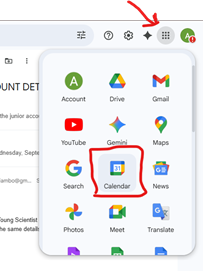
Step #1: Open Google Calendar
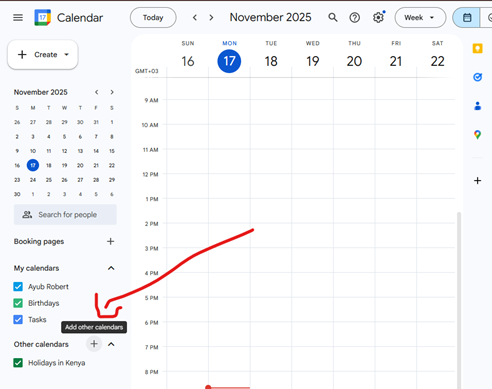
Step #2a: Create a New Calendar - Click on the + button
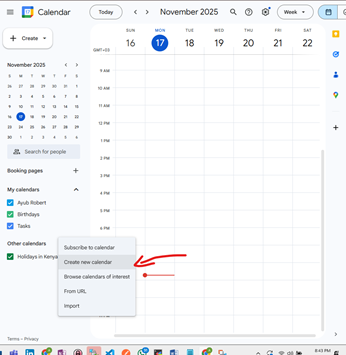
Step #2b: Create a New Calendar - Click on 'Create new calendar'
Step #2c: Create a New Calendar - Enter details for the Calendar
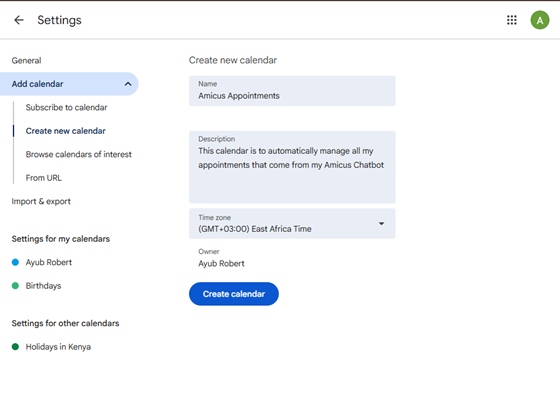
Step #2d: Create a New Calendar - Confirm that the calendar is created
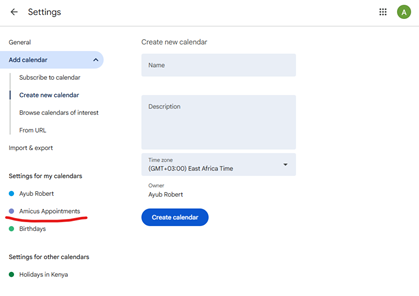
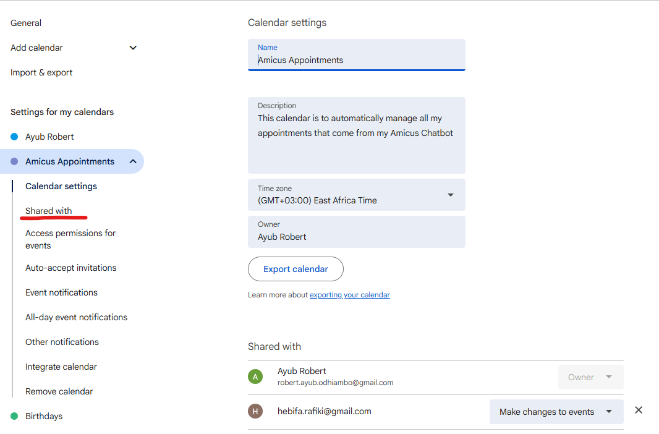
Step #3a: Share the Calendar ID - Tap on 'Shared with' menu on the left