

Activation process
This is a simple three step process for doctors, clinics, hospitals and health facilitates that would like automated real-time appointment booking through their own WhatsApp chatbot. The steps are:
- Open your Google Drive
- Create New Calendar
- Share the Calendar ID with Us for activation
The steps below will quickly help you setup.
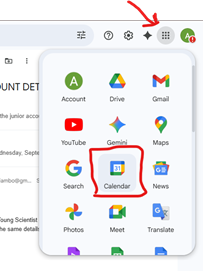
Step #1: Open Google Calendar
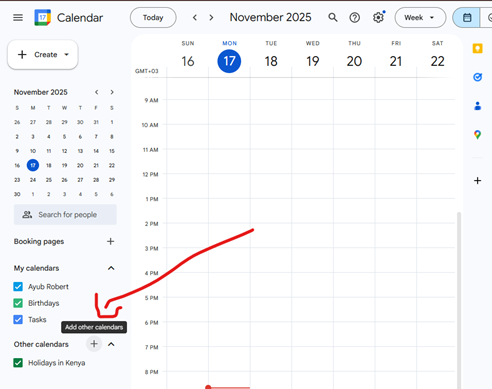
Step #2a: Create a New Calendar - Click on the + button
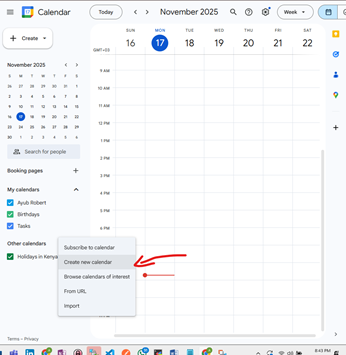
Step #2b: Create a New Calendar - Click on 'Create new calendar'
Step #2c: Create a New Calendar - Enter details for the Calendar
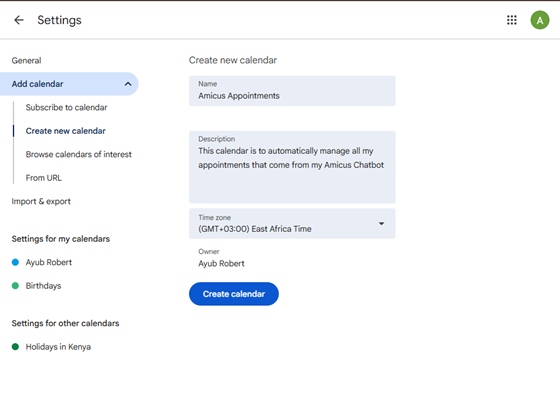
Step #2d: Create a New Calendar - Confirm that the calendar is created
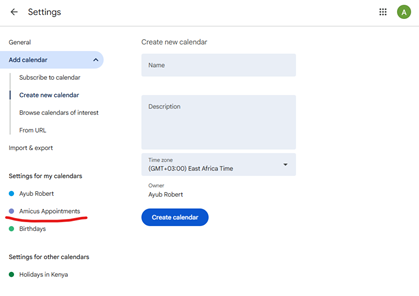
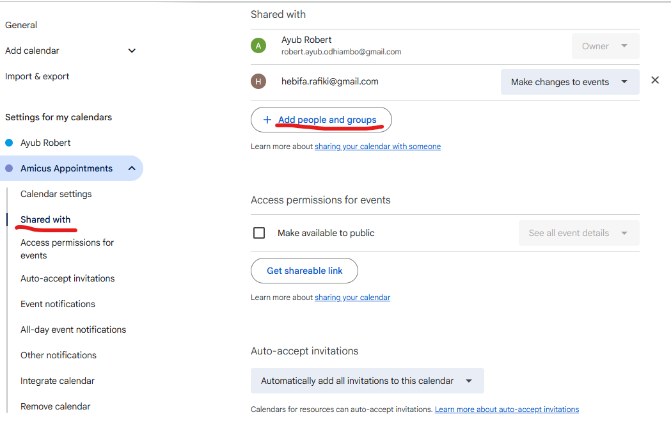
Step #3a: Share the Calendar ID - Tap on 'Shared with' menu on the left and tap on 'Add people and groups'
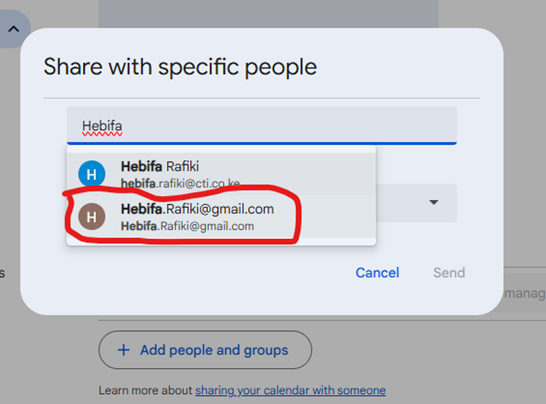
Step #3b: Share the Calendar ID - Type the email Hebifa.Rafiki@gmail.com (Amicus Service Account)
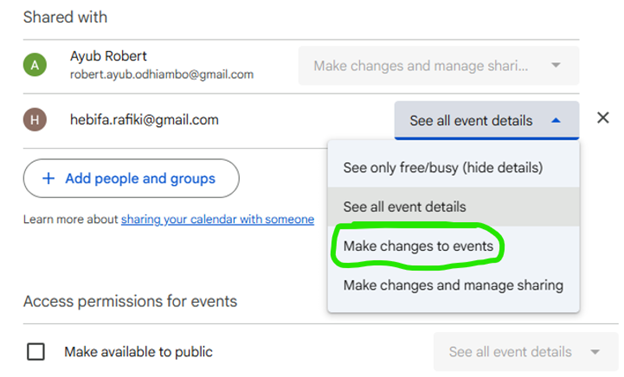
Step #3c: Share the Calendar ID - Give 'Make changes to events' access rights to Hebifa.Rafiki@gmail.com
Step #3d: Share the Calendar ID - Retrieve the Calendar ID
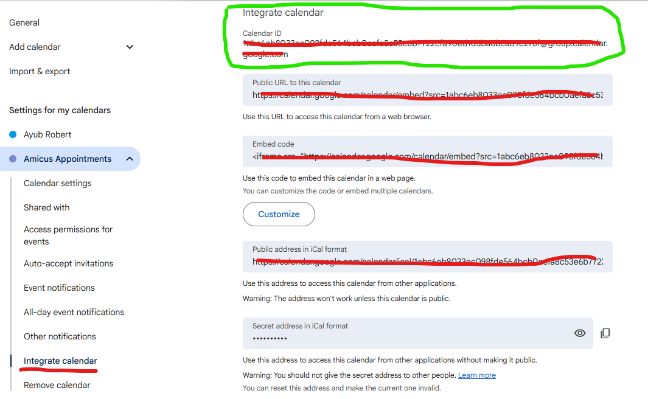
Step #3e: Share the Calendar ID - Create a ticket by visiting https://helpdesk.amicus.co.ke and submit the Calendar ID (Inside the Green Box)