

Activation process
This is a simple three step process for doctors, clinics, hospitals and health facilitates that would like automated real-time appointment booking through their own WhatsApp chatbot. The steps are:
- Open your Google Calendar
- Create New Calendar
- Share the Calendar ID with Us for activation
The steps below will quickly help you setup.
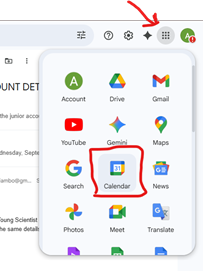
Step #1: Open Google Calendar
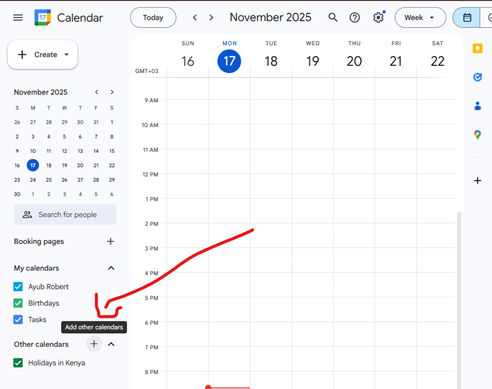
Step #2a: Create a New Calendar - Click on the + button
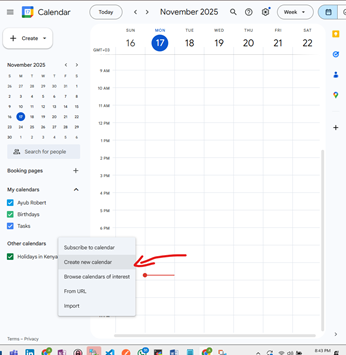
Step #2b: Create a New Calendar - Click on 'Create new calendar'
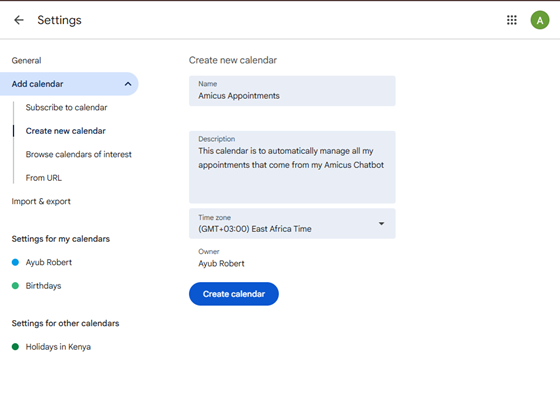
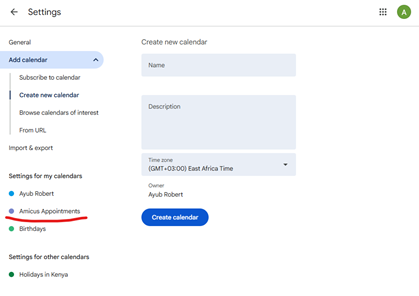
Step #2c: Create a New Calendar - Enter details for the Calendar
Step #2d: Create a New Calendar - Confirm that the calendar is created
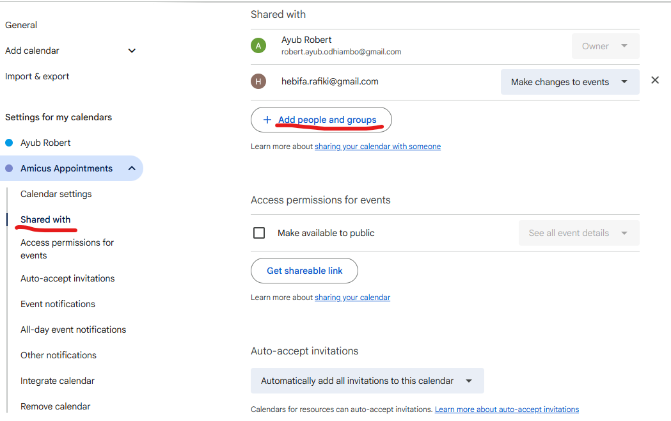
Step #3a: Share the Calendar ID - Tap on 'Shared with' menu on the left and tap on 'Add people and groups'
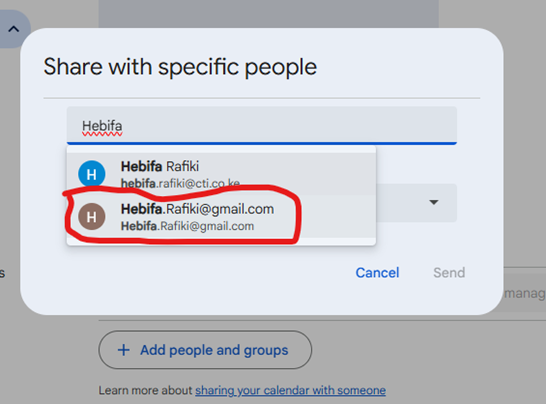
Step #3b: Share the Calendar ID - Type the email Hebifa.Rafiki@gmail.com (Amicus Service Account)
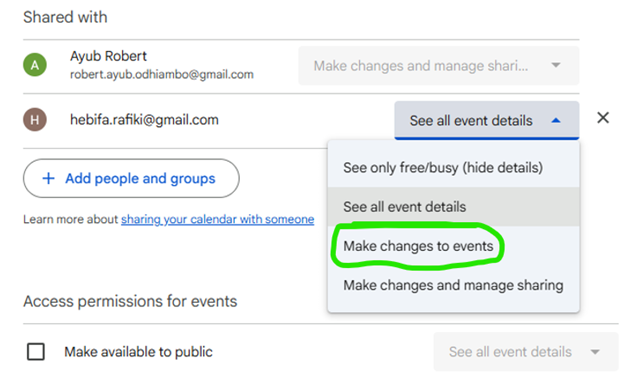
Step #3c: Share the Calendar ID - Give 'Make changes to events' access rights to Hebifa.Rafiki@gmail.com
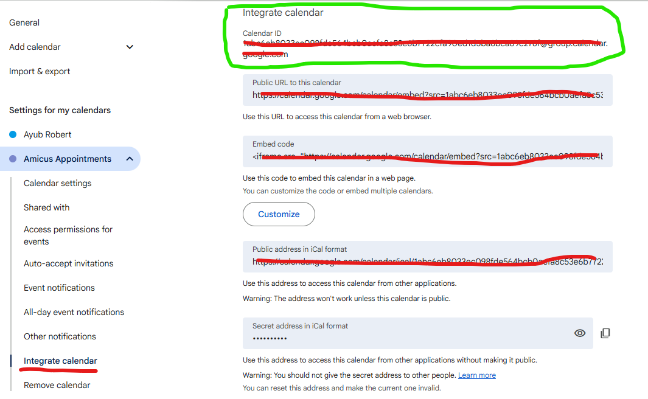
Step #3d: Share the Calendar ID - Retrieve the Calendar ID
Copy the string that appears right below the Calendar ID section (Circled in Green). After copying then paste it in the ticket you will create in the next step.
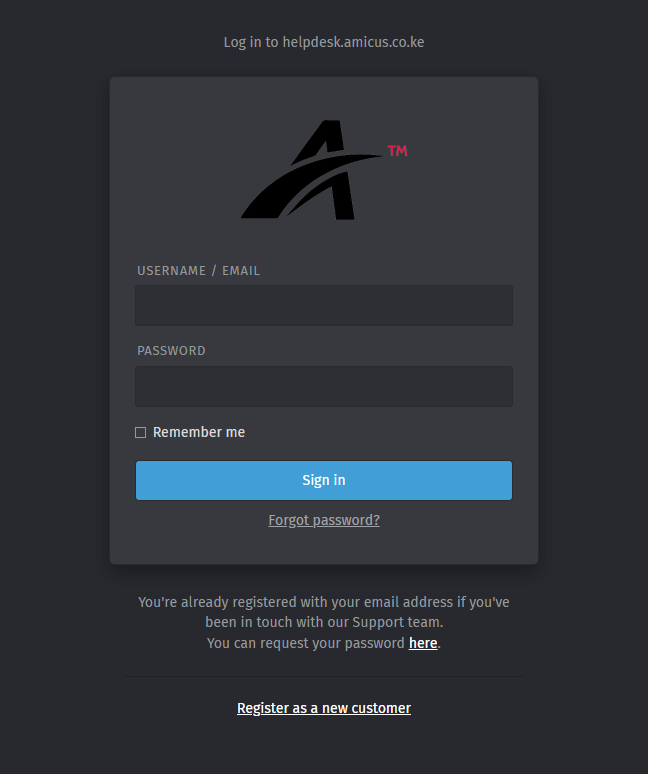
Step #3e: Share the Calendar ID - Visit the link https://helpdesk.amicus.co.ke and Login to Helpdesk / Create a Support Account with Helpdesk. If you do not have an account, click on the Register as a new Customer to create the account
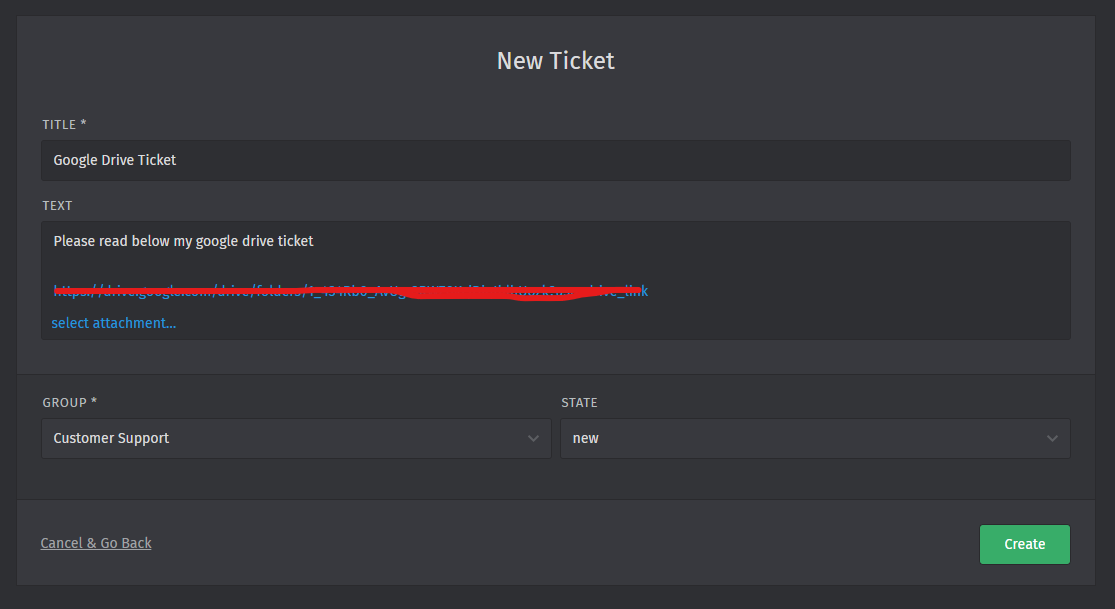
Step #3f: Create a ticket and paste your calendar ID inside the ticket (Paste your Calendar ID inside the text)
END