
Activation process
Last modified by Amicus Wellness FLAGs Admin on 2025/12/18 05:56
The Digital Symptoms Journal is a journal that is automatically created for any user who shares their symptom. It is continuously updated each time you provide new symptoms.
With each symptom submitted, the user is taken through the below phases:
- Pre-Triage phase - in this phase the chatbot asks you relevant questions based on the symptoms that you have submitted and stores the answers that you provide for future references
- Vitals Collection phase - in this phase the chatbot automatically picks and schedules the vital measurements you are supposed to provide i.e. if it detects that the symptoms you have submitted requires measurement of blood pressure, then it will schedule a vital collection reminder which will prompt you to provide those measurements.
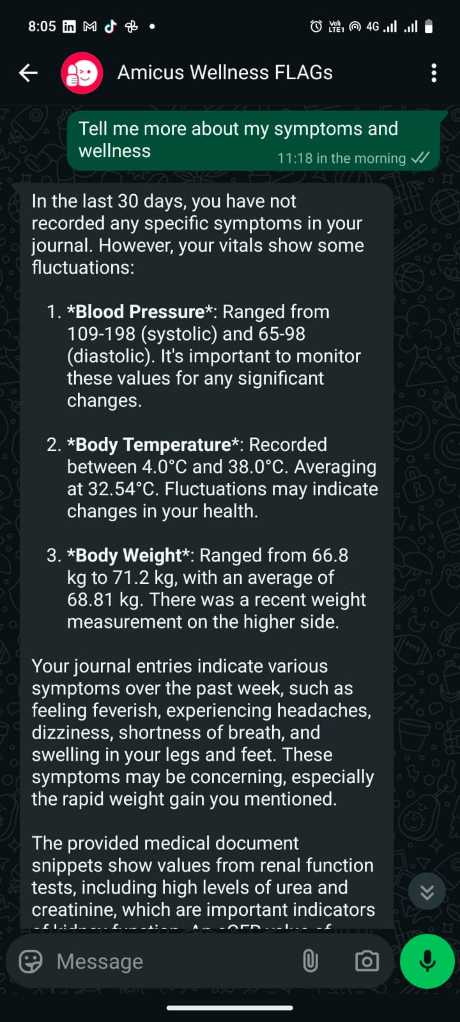
- Know Your Wellness Phase - In this phase, after updating your vitals, you can activate your chatbot and start asking it questions about your wellness. It will make reference to your historical symptoms, your historical laboratory results stored on google drive, your previous medication and any other information you give it access to so that it can correlate and classify your wellness risk. Based on this risk, it connects you to a doctor (The nearest doctor or health facility)
Below are the screenshots of the steps described above
Step #1: Share your Symptoms
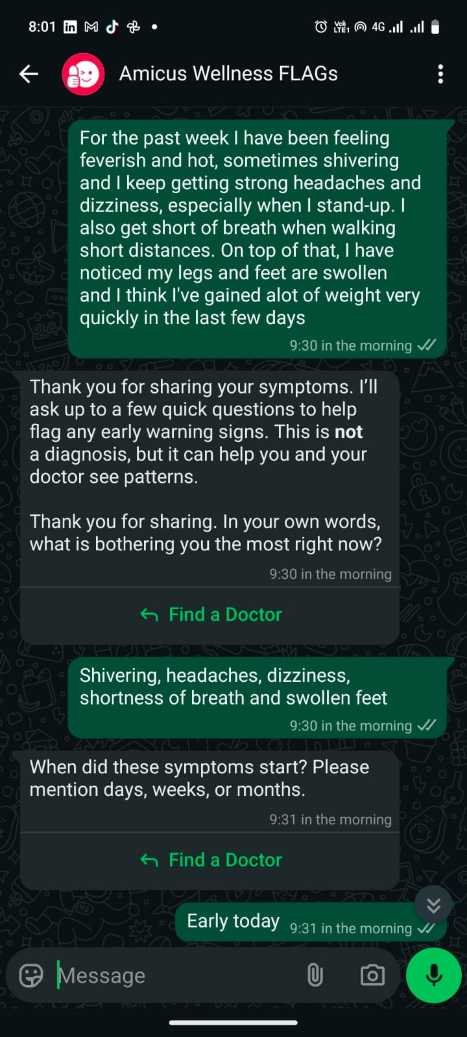
Step #2: Pre-Triage Part A
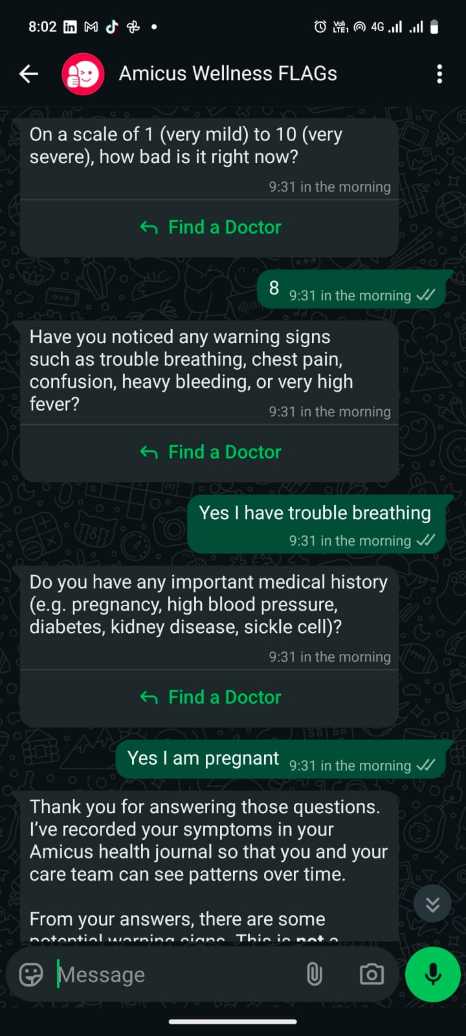
Step #3: Pre-Triage Part B
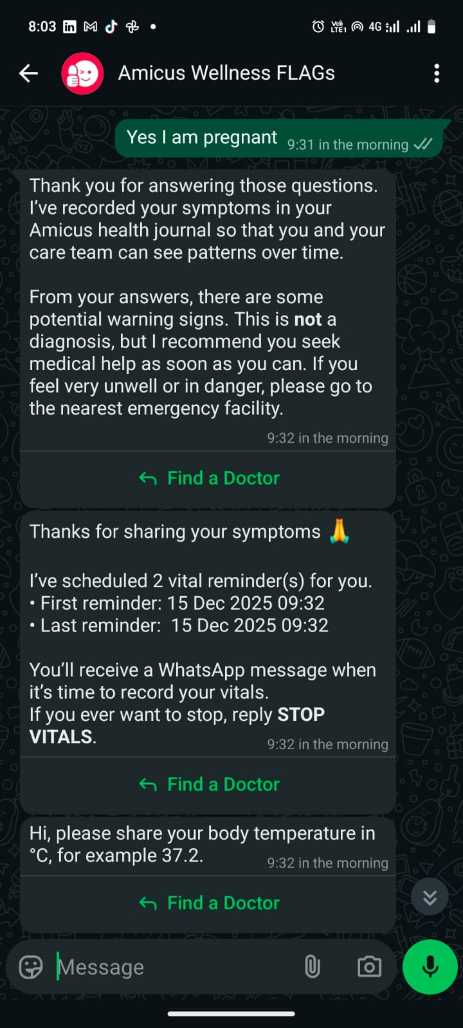
Step #4: Vitals Collection
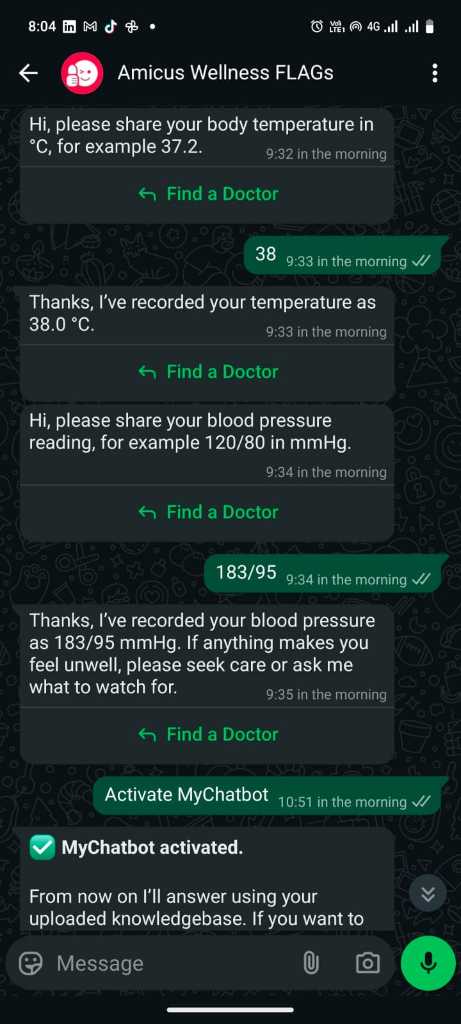
Step #5: Chat with your Health Assistant - Part A
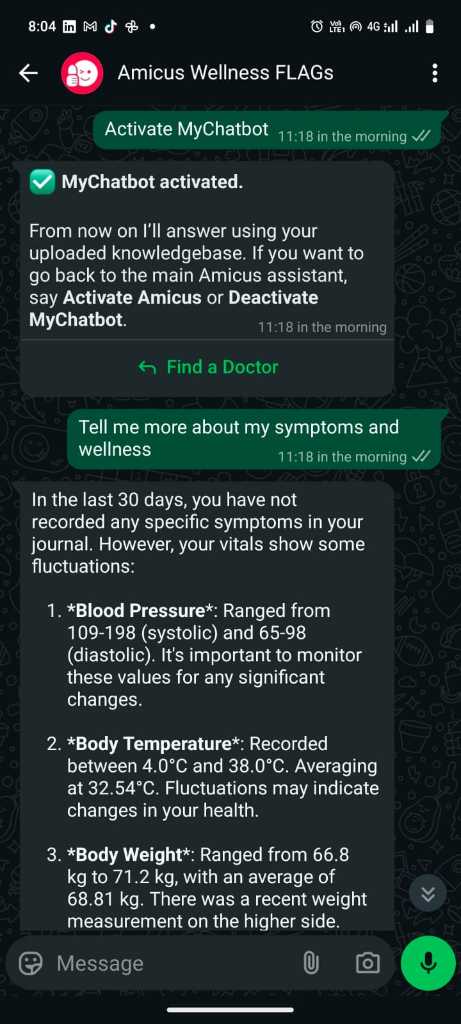
Step #6: Chat with your Health Assistant - Part B