

Activation process
This is a simple three step process where you will
- Open your google drive
- Create a google drive folder
- Share the google drive link with us for activation
The steps below will quickly help you setup.
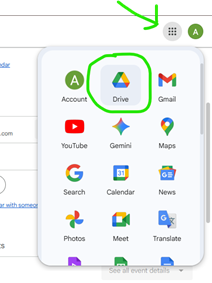
Step #1: Navigate to your Google Drive
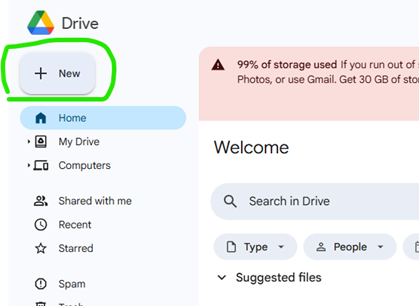
Step #2a: Create a New Google Drive Folder - Click on the + Sign
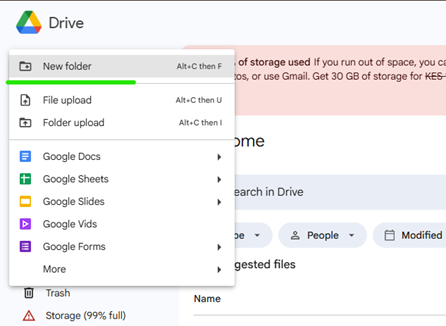
Step #2b: Create a New Google Drive Folder - Tap on the New Folder
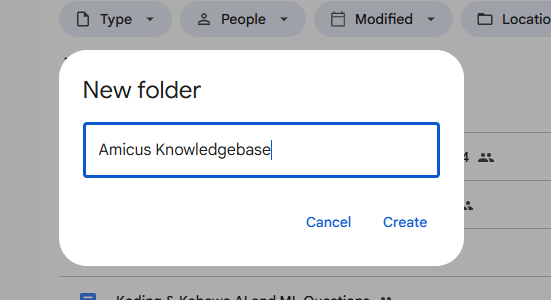
Step #2c: Create a New Google Drive Folder - Give it the Name Amicus Knowledgebase
Step #3a: Share the Google Drive folder - Tap on Share
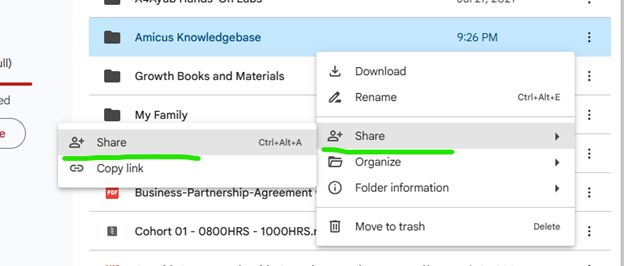
Step #3b: Share Google Drive folder - Add two email addresses as below
- The email address Hebifa.Rafiki@gmail.com (Amicus Service Account)
- The email address amicus-drive-indexer@amicus-426621.iam.gserviceaccount.com (Google Service Account)
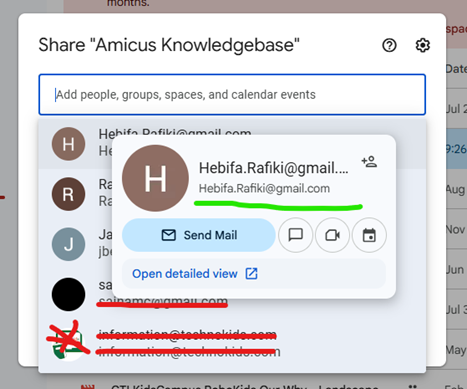
Step #3c: Share Google Drive folder - Add the google service account
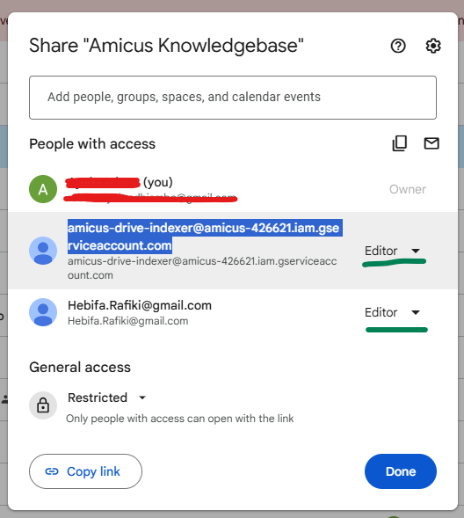
Step #3d: Share Google Drive folder - Add the description of your folder

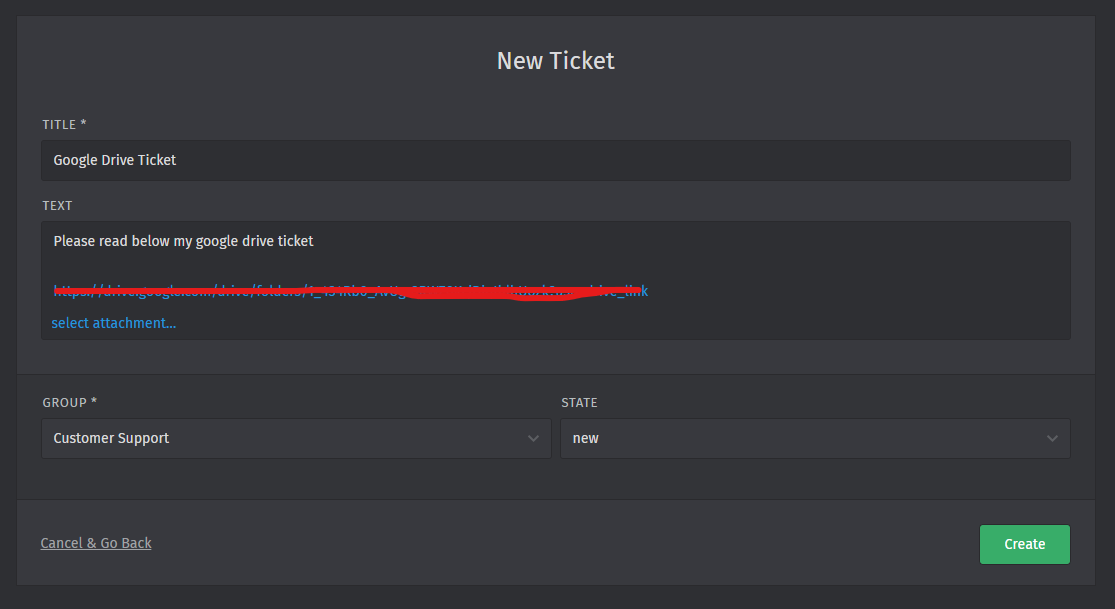
Step #3e: Click on the three vertical dots to see the menu and then tap on Share the Google Drive folder - Copy the Google Drive Link and Create a New Ticket by visiting https://helpdesk.amicus.co.ke

Step #3f: Create a Support Account with Helpdesk
If you do not have an account, click on the Register as a New Customer link to create the account. If you are already registered, login
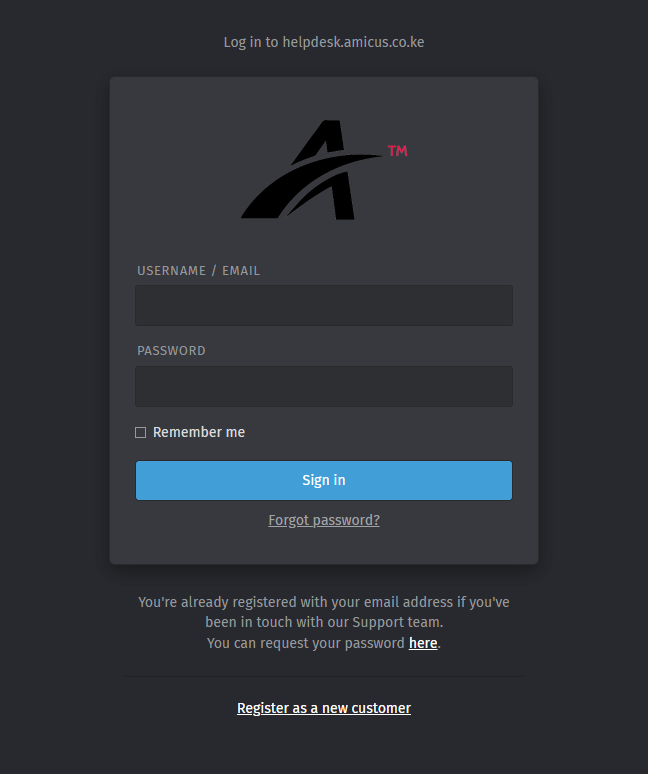
Step #3g: Create Ticket
END